- Availability: Предзаказ
- Product Code: 01070010_1
Brand: BetaFPV
- Product overview
- Reviews (0)
- Related products
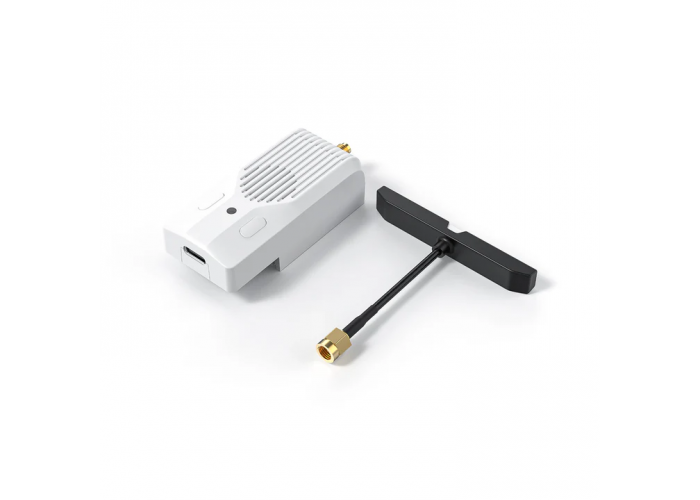
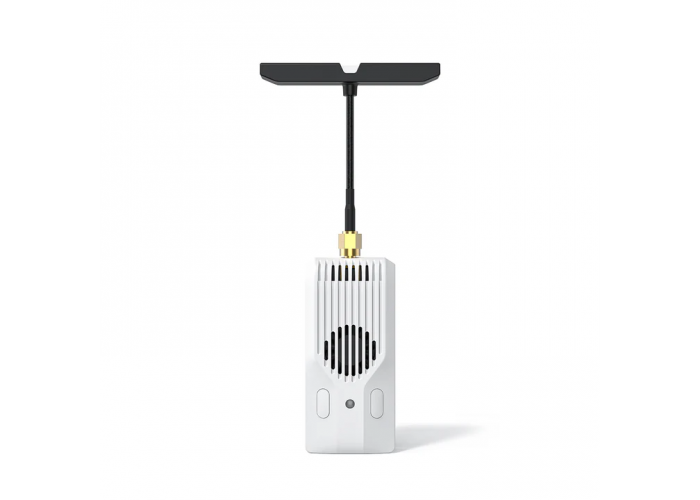
The Nano TX V2 module is packed with numerous upgrades for an unparalleled pilot experience. It includes an innovative T-LED antenna with a flashing frequency that indicates signal transmission and module connection status. With power up to 1W/2W, it ensures stable connections for FPV racing, long-range flights, and professional photography. It easily integrates with Backpack and customizable buttons. Enjoy smooth flight with the 1804 cooling fan. Unleash your full potential with the Nano TX V2 module.
Key Features:
The first-of-its-kind T-LED antenna with an integrated LED display function, allowing pilots to effortlessly monitor signal transmission and reception when using the radio transmitter.
Offers 3 versions: 2.4 GHz with a maximum output power of 1 W and 915/868 MHz with a maximum output power of 2 W. The maximum packet rate is F1000/200 Hz.
An integrated TCXO minimizes frequency deviation for stable operation, eliminating signal interference.
With an optimized internal air duct and heatsink, the 1804 high-speed cooling fan efficiently dissipates heat even at high output power, ensuring a stable connection.
Support for Backpack and customizable buttons based on ELRS V3.3, giving pilots the ability to connect external devices and configure buttons according to personal usage habits.
Technical Specifications:
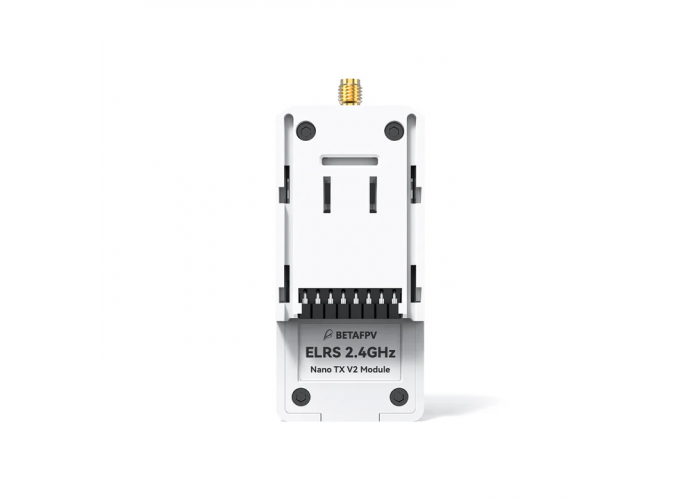
Model: BETAFPV Nano TX V2 | ELRS 2.4 GHz/915 MHz/868 MHz
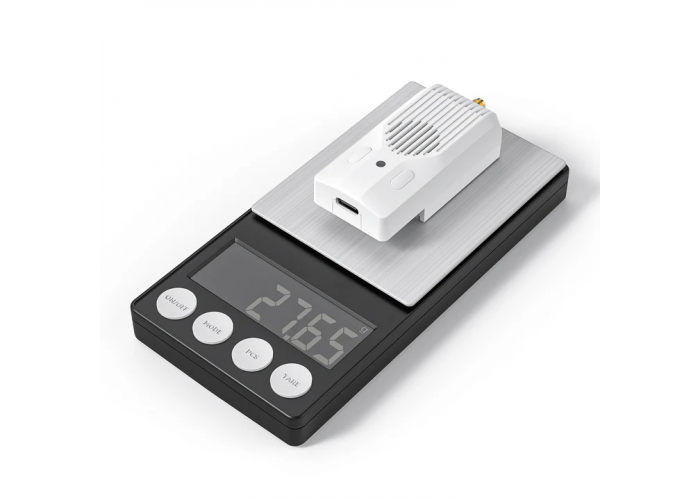
Weight: 28 g
Color: white
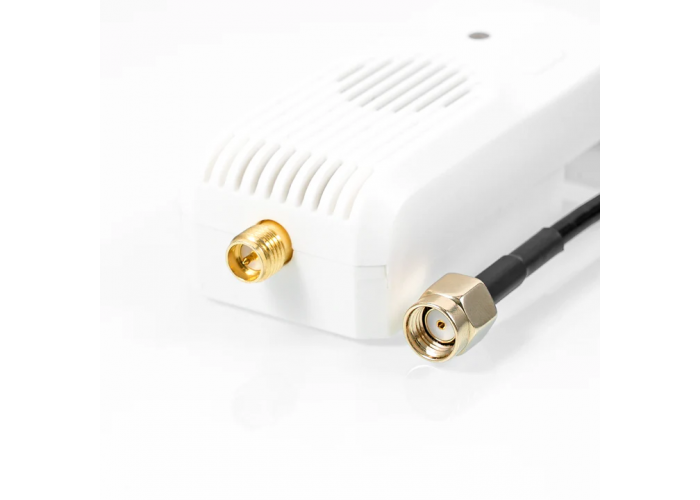
Antenna Connector: RP-SMA (2.4 GHz), SMA (915/868 MHz)
RF Output Power (2.4 GHz): 25 mW/50 mW/100 mW/250 mW/500 mW/1000 mW
RF Output Power (915/868 MHz): 10 mW/25 mW/50 mW/100 mW/250 mW/500 mW/1000 mW/2000 mW
Packet Rate (2.4 GHz): 50 Hz/100 Hz/150 Hz/250 Hz/333 Hz/500 Hz/D250/D500/F500/F1000
Packet Rate (915/868 MHz): 25 Hz/50 Hz/100 Hz/100 Hz Full/200 Hz/D50
Frequency Band: 2.4 GHz ISM, 915 MHz FCC, 868 MHz EU
Backpack Support: yes
Input Voltage: 7 V~13 V DC
Power Consumption (2.4 GHz): 8 V, 1000 mA @ 1000 mW, 150 Hz, 1:128
Power Consumption (915/868 MHz): 8 V, 1000 mA @ 1000 mW, 50 Hz, 1:128
USB Port: Type-C
Fan Voltage: 5 V
Default Firmware Version: ExpressLRS V3.3.0
Model Comparison:
SuperG Nano TX: Max RF Power — Dual-1000mW, RF Chip — Dual SX128X, Antenna Mode — Gemini, T-LED Antenna — Not supported, Cooling Fan — Supported, Backpack — Supported, External Power — Supported 7-13 V
Nano TX V2: Max RF Power — 1W(2.4G) 2W(915/868MHz), RF Chip — Single SX128X/SX1276, Antenna Mode — Single, T-LED Antenna — Supported, Cooling Fan — Supported, Backpack — Supported, External Power — Supported 7-13 V
Nano TX: Max RF Power — 500mW, RF Chip — Single SX128X/SX1276, Antenna Mode — Single, T-LED Antenna — Not supported, Cooling Fan — Not supported, Backpack — Not supported, External Power — Not supported
Output Power 1W and 2W:
The Nano TX V2 module also offers 3 versions: 2.4 GHz with a maximum output power of 1W and 915/868 MHz with a maximum output power of 2W. The integrated TCXO minimizes frequency deviation for stable operation, eliminating signal interference. Experience stronger signals, longer transmission distances, and an extended range of the radio transmitter. With these options, pilots can explore and connect with greater freedom in wireless communication.
Long Range with Quality Connection:
The Nano TX V2 module has a built-in TCXO (temperature-compensated crystal oscillator). With a high-quality TCXO, it can withstand extreme temperatures without fear of heat and cold, constantly outputting an accurate frequency for long-range flights. This ensures a stable and reliable radio link for pilots, allowing flights in any conditions that require extremely stable signals and low latency, including long-range flights, multi-player flights, and FPV racing.
T-LED Antenna:
The T-LED antenna integrates an LED with the antenna, allowing information to be displayed directly on the antenna. When the antenna is successfully connected, regular flashing indicates the status of signal transmission and reception. Light on — signal transmission, light off — signal reception. The flashing speed varies depending on the telemetry ratio and packet rate, providing pilots with a unique visual experience.
Cooling System:
The Nano TX V2 module features a beautifully textured case. With an optimized internal air duct and heatsink, the 1804 high-speed cooling fan efficiently dissipates heat even at high output power, ensuring a stable connection. Pilots can fly with confidence, enjoying reliable performance thanks to this proven cooling system.
Highly Customizable Solution:
Backpack, developed by the ExpressLRS team, is an optional module for radio transmitters. It provides additional flexibility and scalability, allowing pilots to connect external devices such as goggles. The Nano TX V2 module offers a highly customizable and expandable solution for various application scenarios and functional needs of pilots.
Compatibility with Most TX Radio Transmitters:
The Nano TX V2 module can be configured via a LUA script. EdgeTX V2.8.0 and OpenTX radio transmitters that support CRSF can be easily used. It is compatible with popular Nano TX ports, such as BETAFPV LiteRadio 3 Pro, Radiomaster Zorro/Pocket, Jumper T Pro V2/T20, TBS Tango 2, etc., as well as Radiomaster TX16, Boxer, and Jumper T16/T20, Frsky QX7, X9 when used with a Micro-to-Nano Module adapter.
ELRS Series:
The ExpressLRS series expands its lineup with the addition of the Nano TX V2 module. To achieve exceptional link quality, BETAFPV elevates the flying experience to a new level by implementing ELRS links, which offer capabilities for long-range flights, low latency, and high refresh rates in the radio control system.
Basic Configuration:
In the EdgeTX system, select "MODEL SEL" and enter the "SETUP" interface. In this interface, turn off the internal RF (set to "OFF"), turn on the external RF, and set the output mode to CRSF. Properly connect the module, and it will start functioning. The settings are shown below.
Lua is a lightweight and compact scripting language. It can be used by embedding it in radio transmitters, making it easy to read and modify module parameters. The instructions for using Lua are given below:
Download elrsV3.lua from the official BETAFPV website or the ExpressLRS configurator.
Save the elrsV3.lua files on the radio transmitter's SD card in the folder Scripts/Tools.
Press the "SYS" button or "Menu" button in the EdgeTX system to access the "Tools" interface, where you can select "ExpressLRS" and run it.
Customizable Buttons:
There are two buttons designed for customizing their functions. The operation steps are shown below:
Enter WiFi mode by powering on the module or keeping it on for 60 seconds.
When the RGB status indicator starts flashing green slowly, the receiver's WiFi will be activated (WiFi name: ExpressLRS TX, password: expresslrs).
Connect your phone or computer to the WiFi and open a browser at http://10.0.0.1. You will be able to find the settings page for the customizable buttons.
In the "Action" column, select the desired custom function; in the "Press" and "Count" columns, select the button press type and the number of presses or press duration.
Click "Save" to complete the configuration.
Binding and External Power:
The default firmware of the Nano TX V2 module is ExpressLRS version 3.3.0. No binding phrase is set. Therefore, binding with transmitters requires the receiver to use version V3.0.0 and above without a binding phrase.
Put the receiver into binding mode and wait for connection.
Quickly press button 1 (the left button) three times to enter binding mode (factory setting), or enter binding mode by clicking 'Bind' in the Lua script. If the indicator light becomes solid, it means the device has successfully bound.
FAQ:
Unable to enter the LUA script:
The TX module is poorly connected to the remote control. Check whether the Nano pin of the remote and the TX module connector make good contact.
The ELRS LUA script version is too low and needs to be updated to elrsV3.lua.
If the remote's baud rate is too low, set it to 400K or higher (if there is no option to set the baud rate, the remote's firmware must be updated, for example, EdgeTX must be V2.8.0 or higher).
Packet rate cannot be set to F1000 or outputs the message "Baud rate is too low."
The issue is caused by the remote's baud rate being too low, as the F1000 packet rate requires supporting a baud rate higher than 400K.
First, update the baud rate (more than 400K will be sufficient) in the model setup menu or System menu -> Hardware, then restart the remote to ensure the baud rate setting is applied.
Packets between the remote and the TX module are less than 1000 when the F1000 packet rate is enabled.
This problem is caused by synchronization issues with the EdgeTX remote system.
Update the remote's EdgeTX version to 2.8.0 or higher.
Kit:
1 * Nano TX V2 Module
1 * T-LED Antenna
1 * Type-C USB Data Cable
1 * Type-C Male to XT30U Male Power Cable
1 * User Manual
1 * Service Card
1 600 грн.
Available Options
Reviews0
0/ 5
average product rating
There are no reviews for this product.