
- Availability: Предзаказ
- Product Code: 01080007_1


- Product overview
- Reviews (0)
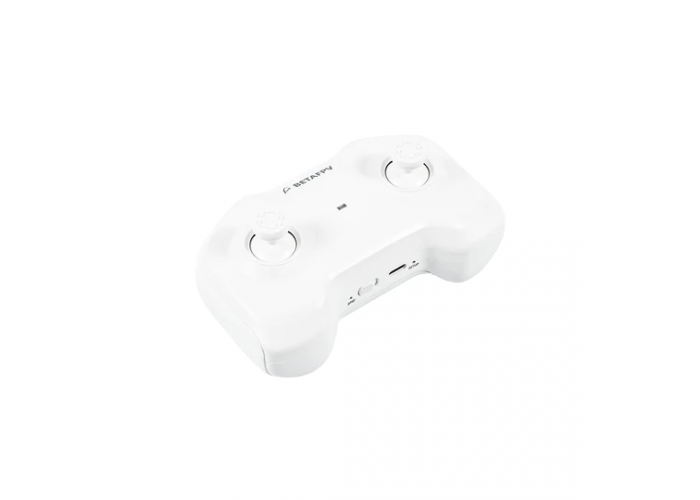
The BetaFPV LiteRadio 1 is a portable and affordable radio transmitter that is perfectly suited for FPV beginners. Featuring an ergonomic design, support for popular communication protocols, and full compatibility with FPV simulators, this controller is an excellent choice for both training and real-world flights.
Features
Compact and lightweight design with an anti-slip body texture for comfortable prolonged use.
Highly affordable and user-friendly, making it accessible for beginners, training, and casual flights.
Full FPV simulator support acting as a standard USB joystick for software like DRL, DCL, Uncrashed, and Liftoff.
Broad compatibility supporting Futaba S-FHSS, FrSky FCC D16, FrSky LBT D16, and FrSky D8 protocols for various BNF quadcopters.
Intuitive configuration and easy firmware updates via the dedicated BETAFPV Configurator.
Dual stick-grip options with interchangeable stick ends included to accommodate both thumbing and pinching styles.
Specifications
Model: BetaFPV LiteRadio 1
Number of Channels: 8
Frequency Range: 2.4 GHz
RF Chipset: CC2500
RF Output Power: 100 mW (FrSky)
Interface Type: USB Type-C (for simulators and updates)
Battery: Built-in 1000 mAh 1S Li-Po
Operating Time: Up to 8 hours
Control Range: Up to 80 m
Dimensions: 130 mm × 78 mm × 57 mm
LED Status Indicator Guide
Solid Blue: Device is operating normally
Solid Red: Throttle stick is not at the lowest position (Move throttle stick all the way down)
Fast Flashing Red: Radio transmitter is in binding mode (Wait for the process to complete)
Slow Flashing Blue: Low battery warning (Recharge the transmitter)
Slow Flashing Red: Battery is charging
Slow Flashing Green: Battery is fully charged
Protocol Selection and Configuration
How to Check Current Protocol:
The red LED flashes upon power-up to signal the active protocol:
1 flash: FrSky D16 FCC
2 flashes: FrSky D16 LBT
3 flashes: FrSky D8
4 flashes: Futaba S-FHSS
How to Change Protocol:
Power off the transmitter.
Press and hold the BIND button.
Turn on the power switch while holding the button.
Release the button once the LED flashes to confirm the new protocol setting.
Package
1 x LiteRadio 1 Radio Transmitter
1 x USB Type-C Cable
2 x Alternative Stick Ends
1 x User Manual